Star Citizen's own keybinding screen is a long list. SCBinder shows your setup the way you hold it.
76ready-made device layouts
7hardware makers
700+game actions you can bind
0accounts or subscriptions
Your hardware as a picture
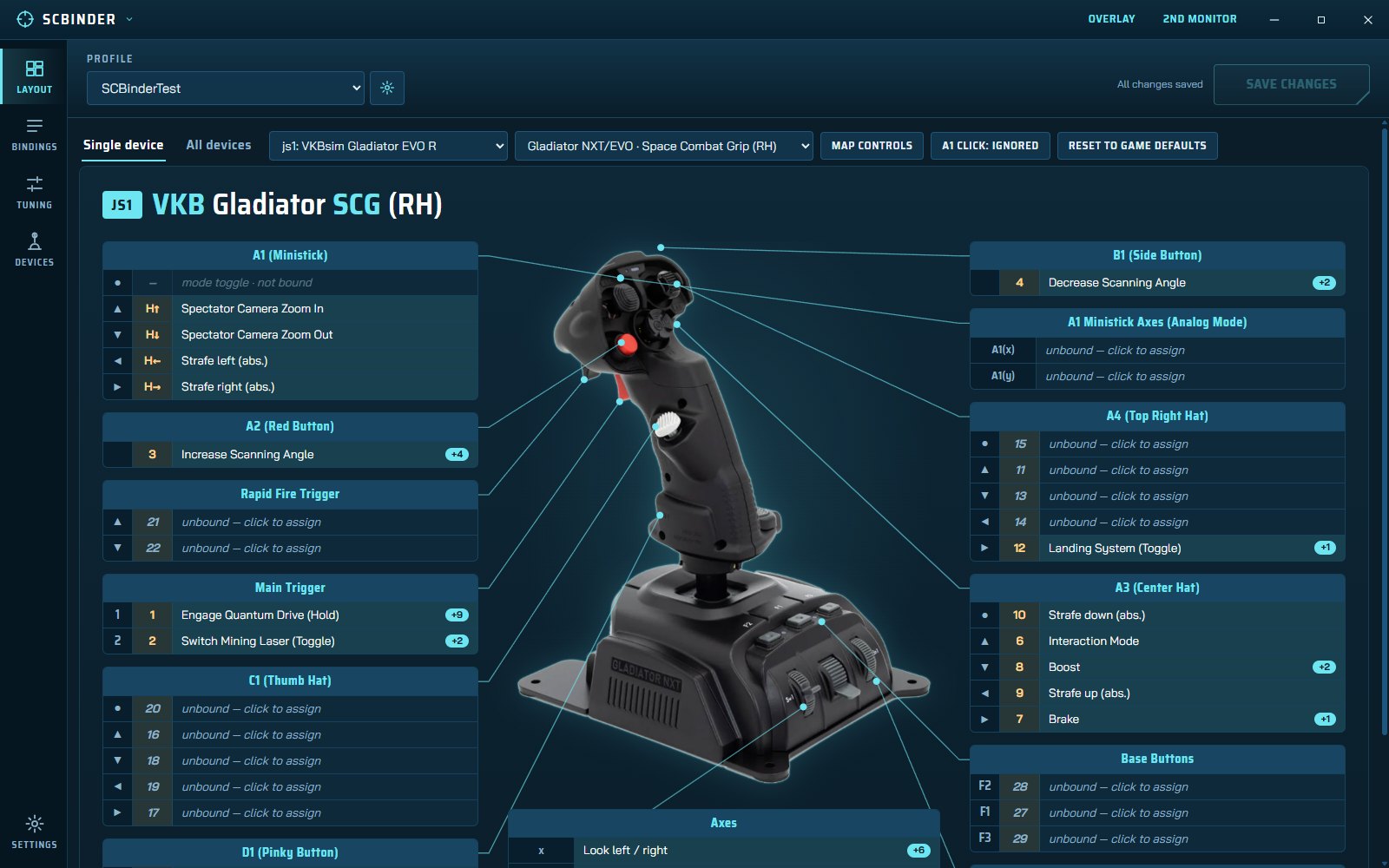
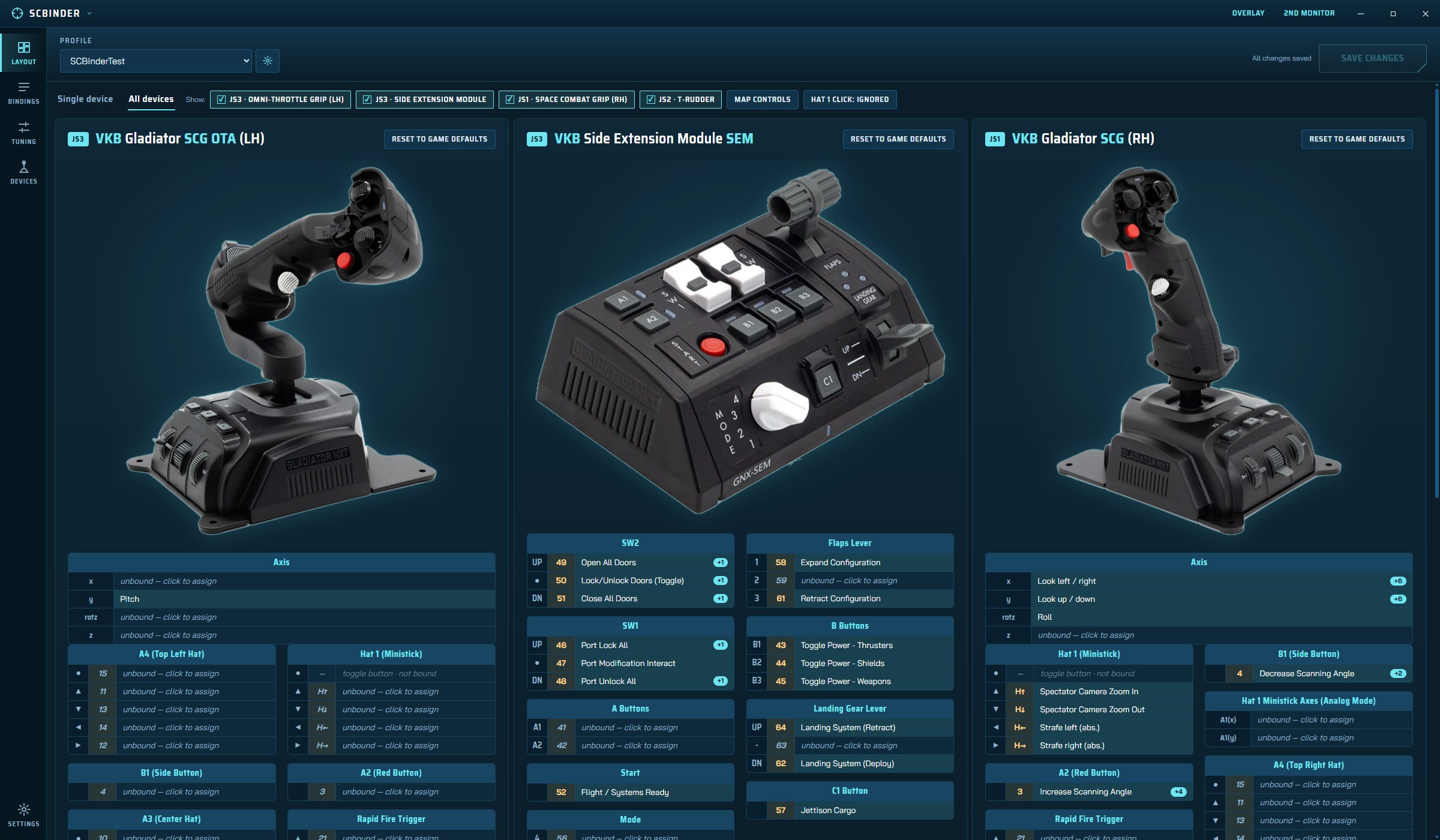
Every button, hat, switch and axis is a labelled block with a line to the control on the photo, and it shows what is bound to it. No more guessing what "button 22" is.
- Left and right grips drawn as mirror images
- Mounting options for modules such as the SEM
- All devices side by side, or one in detail
Bind in one click
Click a control, search the action list, pick one. Controls with several actions show the first plus a +N chip, and a hover card lists the rest, grouped by game area.
- One-click unbind and reset to game defaults per device
- Nothing is saved until you press Save
Teach it your device
Click a row, press that button on your stick and SCBinder records it. Standard button numbers are pre-filled, so most people never need to.
- Skip, stop, or remove controls you do not have
- Mode-toggle buttons are left out by default
Every action, searchable
Browse by task (flying, weapons, mining...) or exactly as the game lists them. Search by name, description or bound input.
- Find a control: press a button to jump to its binds
- Filters: joystick-capable, unbound, no conflicts
- One column per device, plus the game default
Conflict warnings
If one input is bound to two actions that can be live at the same time, SCBinder tells you and shows both, so you find the clash before you find it in flight.
Axis tuning
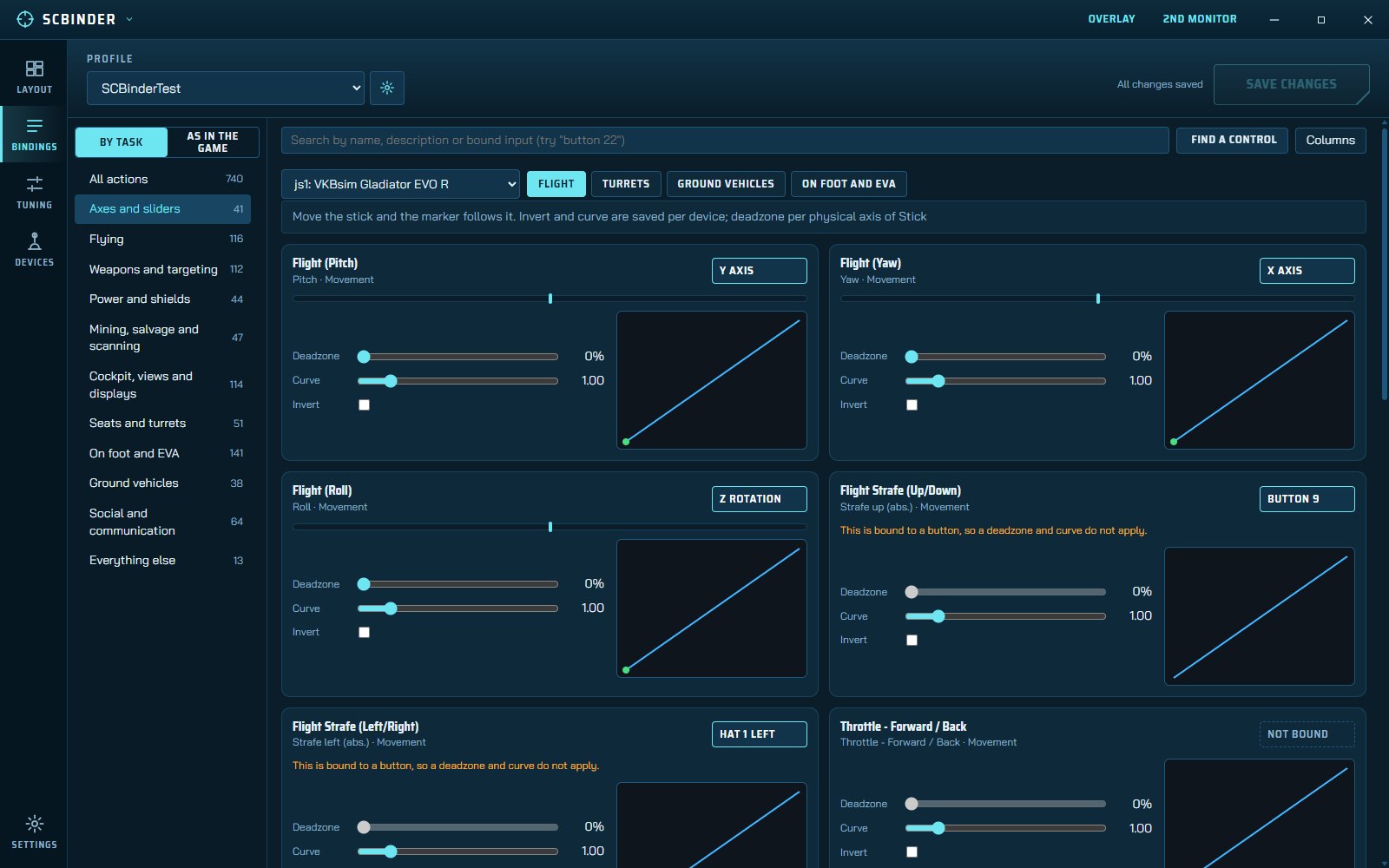
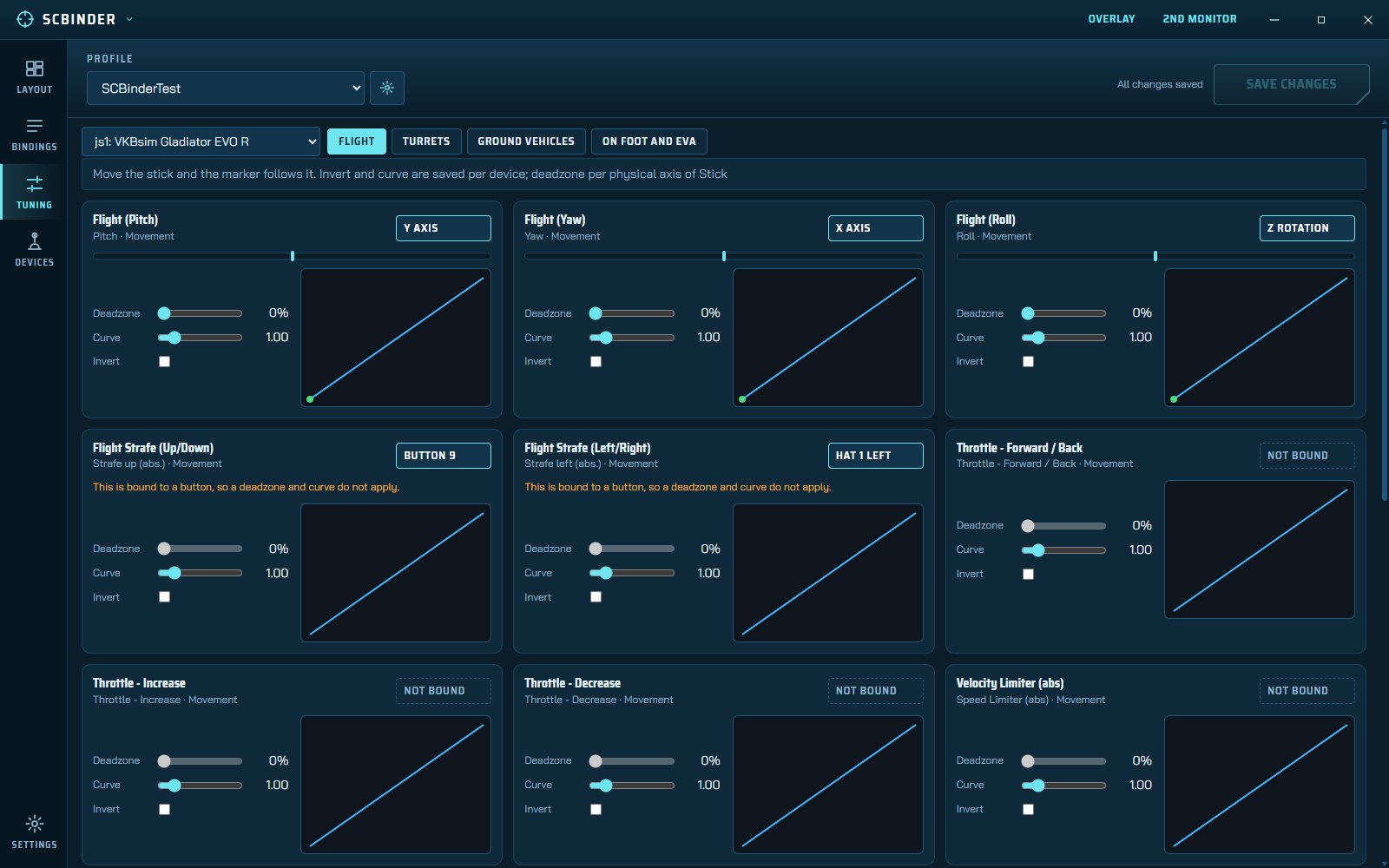
Deadzone per physical axis, response curve and invert, with a live marker that follows your stick as you move it.
- Custom curve editor where the game offers one
- Every axis of a device in one list
In-game overlay
A panel over the game with Layout, Bindings and Tuning. It snaps to the screen edge, collapses to a thin bar to give the screen back, and has click-through so clicks reach the game.
- Show or hide: Ctrl+Shift+F9
- Click-through: Ctrl+Shift+F10
Second-monitor view
A full-screen reference on the monitor you choose: every device side by side, always up while you fly. Same pages as the main window.
Keyboard, mouse, gamepad
Not just sticks. Bind keys (with Alt, Ctrl and Shift chords), mouse buttons and gamepad buttons in the same screen, so one place covers every input.